

Tutorial: a reviewed AI reply
In this tutorial you build a process that answers customer complaints. An agent classifies the complaint, a second agent drafts the reply, and a support lead approves the draft or rejects it with a comment. A rejected draft goes back to the agent, which rewrites it using that comment, at most three times.
Along the way you use everything a real process needs:
| You will see | Where |
|---|---|
| Paste APL and get a diagram | Step 3 |
A repeat limit on a loop (↻ 3) and named routes |
Step 4 |
| Review outcomes with a required comment | Step 5 |
| A route drawn on the canvas (a two-day timeout) | Step 6 |
| A local, mocked Dry Run | Step 8 |
| Real agents, a human decision and a revised draft | Steps 9–12 |
| The audit trail and a fallback model | Steps 13–14 |
It takes about 20 minutes.
Before you start
- The development platform is running and you can sign
in to Studio at
http://studio.localhost. - An AI provider is set in Studio → Settings → AI Providers (for example a Gemini key). Without one, agent steps wait — nothing breaks.
- Two development accounts: alice (
alice/alice) builds and runs the process, bob (bob/bob) reviews the drafts.
1. Create a project
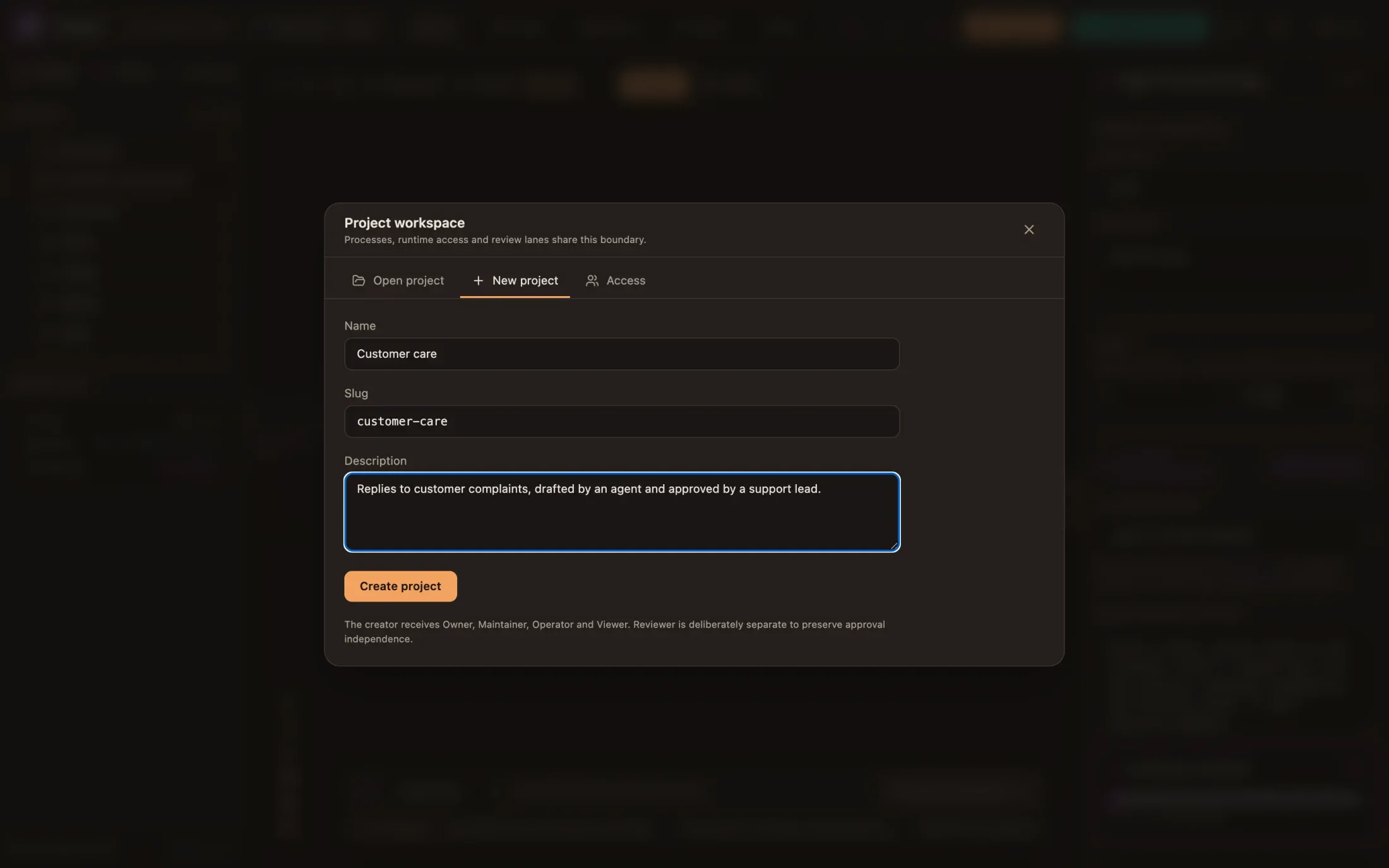
Section titled “1. Create a project”Sign in as alice. Click the project name in the header, open New
project, and name it Customer care. You become its Owner, Maintainer,
Operator and Viewer.
2. Let bob review
Section titled “2. Let bob review”The review step will be offered to the support-leads group. Bob is not in
that group in the identity provider, so you give it to him inside this
project only:
- Ask bob to sign in to Studio once, so the platform knows him.
- As alice, open Admin → Projects → Add Member, pick
bob, tick Viewer, and typesupport-leadsunder Task Groups (Human Tasks).
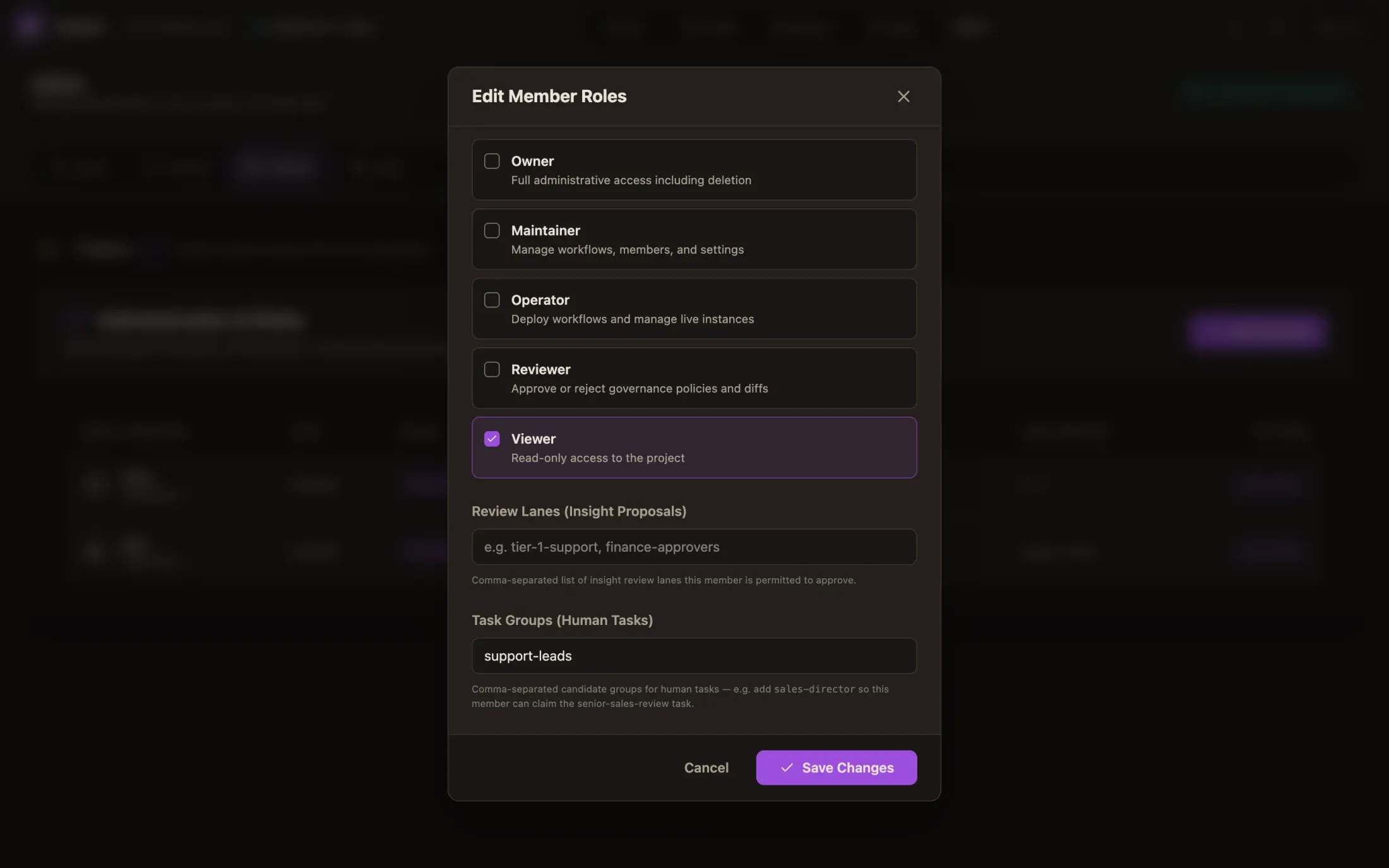
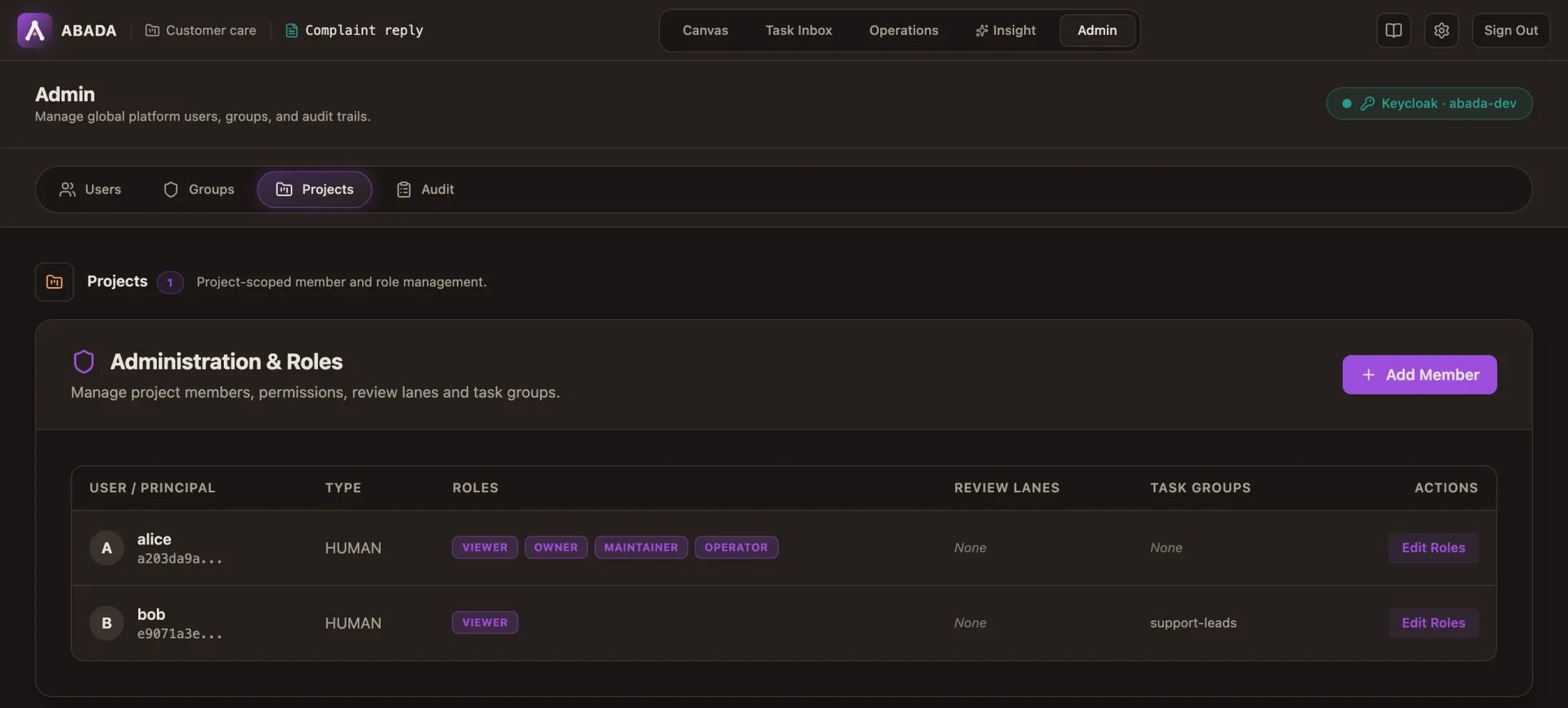
A project task group works exactly like an identity group for human tasks,
but only in this project. Without the Admin tab (it needs the
abada-admin group), an owner can do the same through the API:
# Find bob's principal id, then make him a Viewer with the task group.curl "$ABADA_URL/api/v1/projects/$PROJECT_ID/principals?query=bob" -H "Authorization: Bearer $TOKEN"curl -X PUT "$ABADA_URL/api/v1/projects/$PROJECT_ID/members/$BOB_PRINCIPAL_ID" \ -H "Authorization: Bearer $TOKEN" -H "Content-Type: application/json" \ -d '{"roles": ["VIEWER"], "reviewLanes": [], "taskGroups": ["support-leads"]}'3. Paste the process
Section titled “3. Paste the process”In the Project panel, click + next to Project (New Process), choose
Paste APL, paste the document below and name the file complaint_reply.
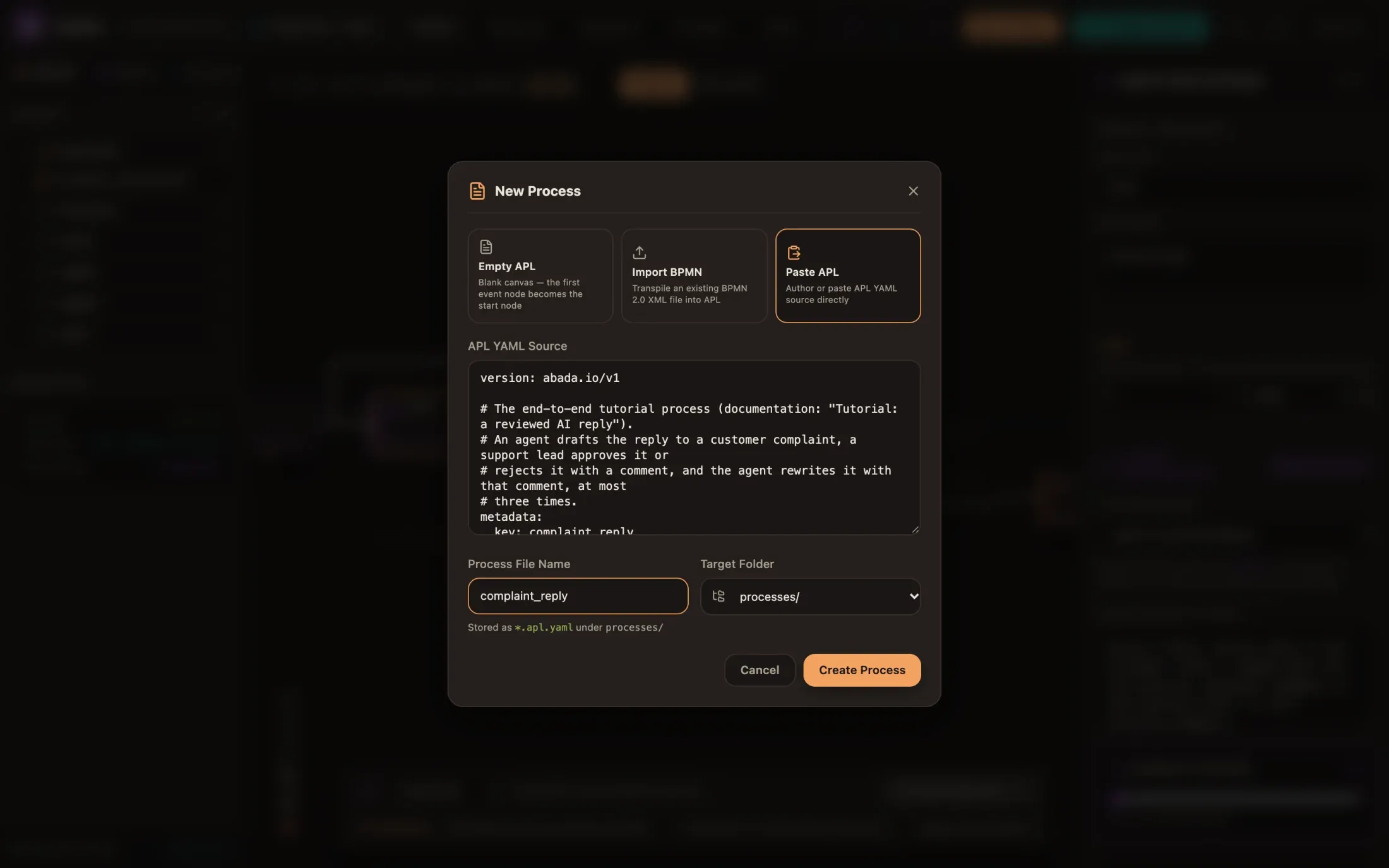
version: abada.io/v1metadata:  key: complaint_reply  name: Complaint reply  owner: customer-care  variables:    - name: complaint      type: object      required: true
flow:  entry: complaint-received  nodes:    - id: complaint-received      type: webhook      description: Complaint received      next: classify
    # Advice, checked by the engine: the answer must match the schema and be confident enough.    - id: classify      type: agent      description: Classify the complaint      model: gemini-3.6-flash      prompt: |        Classify this customer complaint. Give its category, its severity        (low, medium or high) and a one-sentence summary.      inputs:        complaint: ${complaint}      result_variable: classification      output_schema:        type: object        required: [category, severity, summary]        properties:          category: { type: string }          severity: { enum: [low, medium, high] }          summary: { type: string }      confidence_threshold: 70      on_low_confidence: triage      next: draft
    # Rewritten after each rejection with the reviewer's comment, three times at most.    - id: draft      type: agent      description: Draft the reply      model: gemini-3.6-flash      fallback_models: [gpt-5-mini]      prompt: |        Write a short, polite reply to the customer. Offer a remedy that fits        the severity. Reviewer feedback on the previous draft, if any: ${review_comment}      inputs:        complaint: ${complaint}        classification: ${classification}        review_comment: ${review_comment}      result_variable: reply      output_schema:        type: object        required: [subject, body]        properties:          subject: { type: string }          body: { type: string }      loop:        max_iterations: 3        on_exhausted: triage      on_timeout: { after: PT30M, then: triage }      next: review
    # A person decides; a rejection must say why.    - id: review      type: human-input      description: Review the reply      assignees: [support-leads]      sla_hours: 4      escalate_to: [managers]      outcomes:        approve: { next: sent }        reject: { next: draft, comment: required }
    - id: triage      type: human-input      description: Handle the complaint by hand      assignees: [managers]      next: sent
    - id: sent      type: end      description: Reply approved
The same file is in the repository:
examples/apl/complaint-reply.apl.yaml.
What each part asks the engine to guarantee:
classifyis advice. Its answer must matchoutput_schemaand carry a confidence of at least 70; otherwise the engine sends the case totriageinstead of trusting it.draftreadsreview_comment, which is empty on the first pass and holds the reviewer’s comment after a rejection. Itslooplets the process come back here three times at most, then hands the case totriage.on_timeoutstops a draft that takes more than 30 minutes, andfallback_modelskeeps it going ifgemini-3.6-flashis rate-limited.reviewhas two outcomes. Reject goes back todraftand cannot be sent without a comment. After four hours (sla_hours) the task stays open butmanagerscan pick it up too.
4. Read the diagram
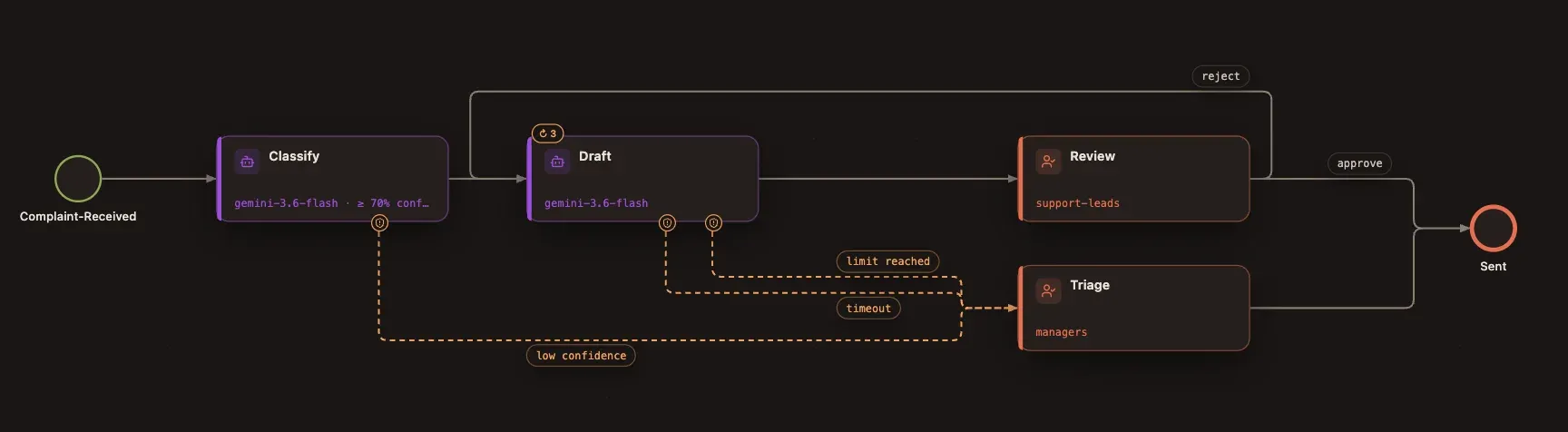
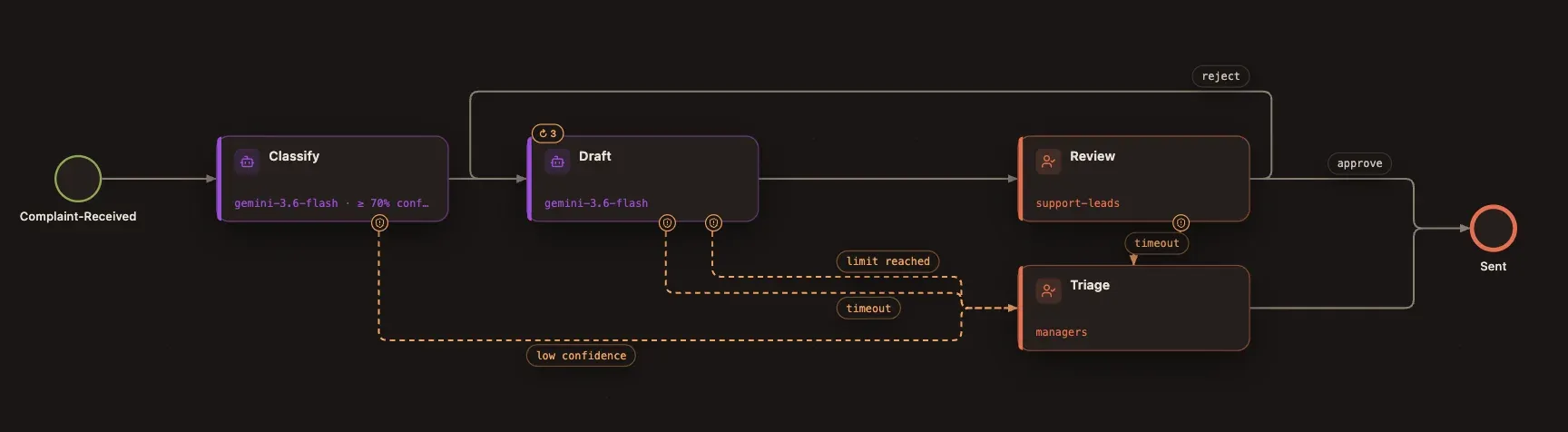
Section titled “4. Read the diagram”Studio draws the document. The ↻ 3 badge marks the repeat limit, and each
route carries its name: approve and reject leave the review, low
confidence, timeout and limit reached lead to triage.
5. Look at the steps
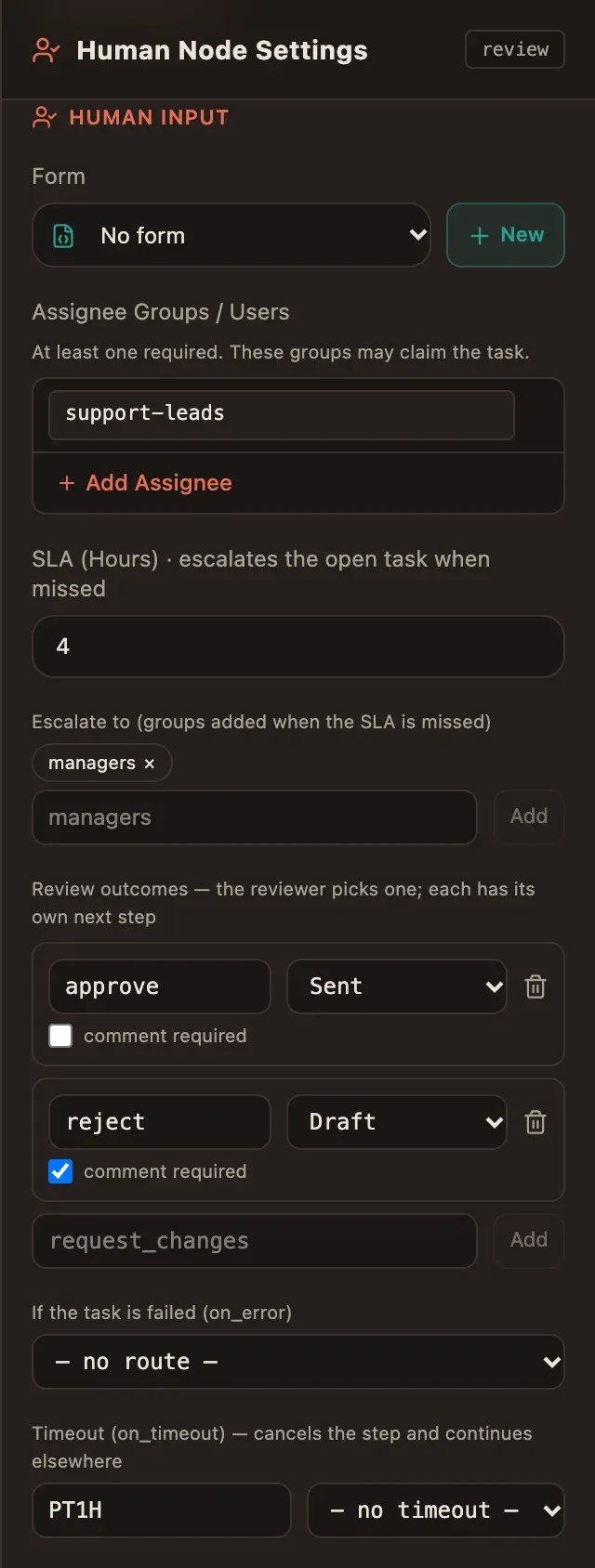
Section titled “5. Look at the steps”Click Review. The inspector shows the assignees, the service level, the escalation group and the outcomes, each with its target and a comment required switch.
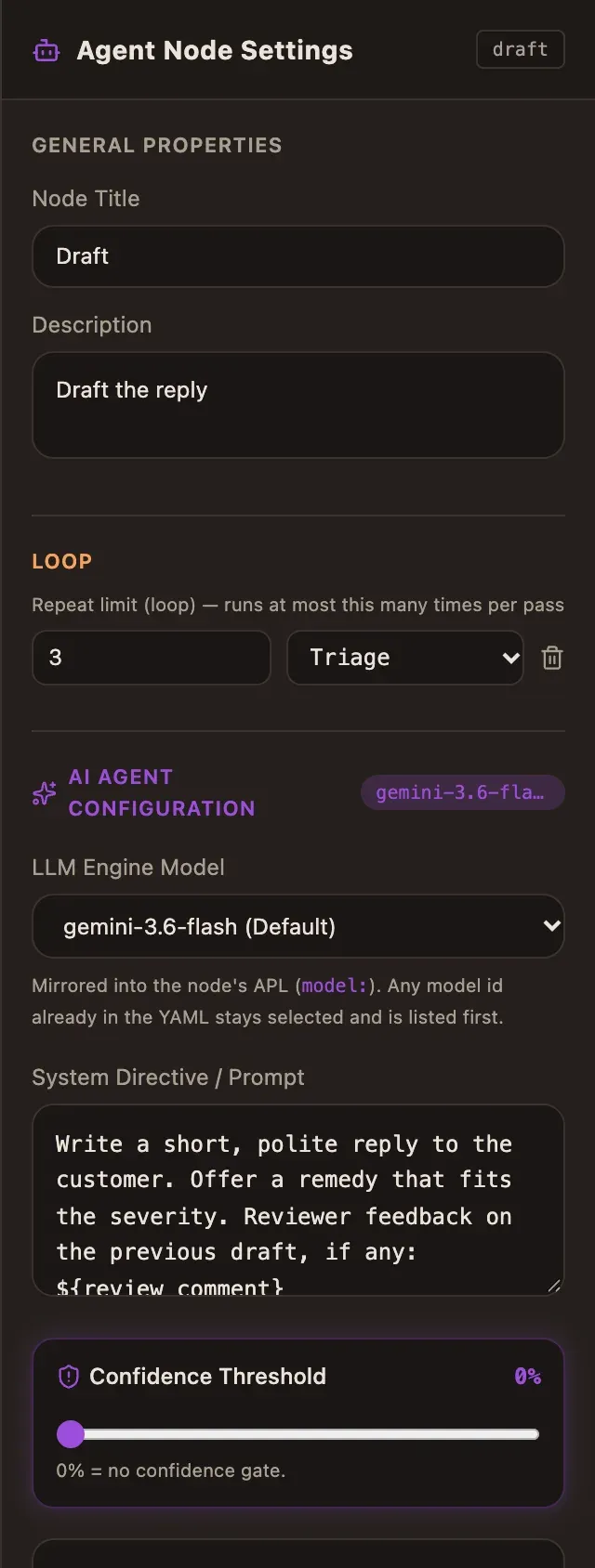
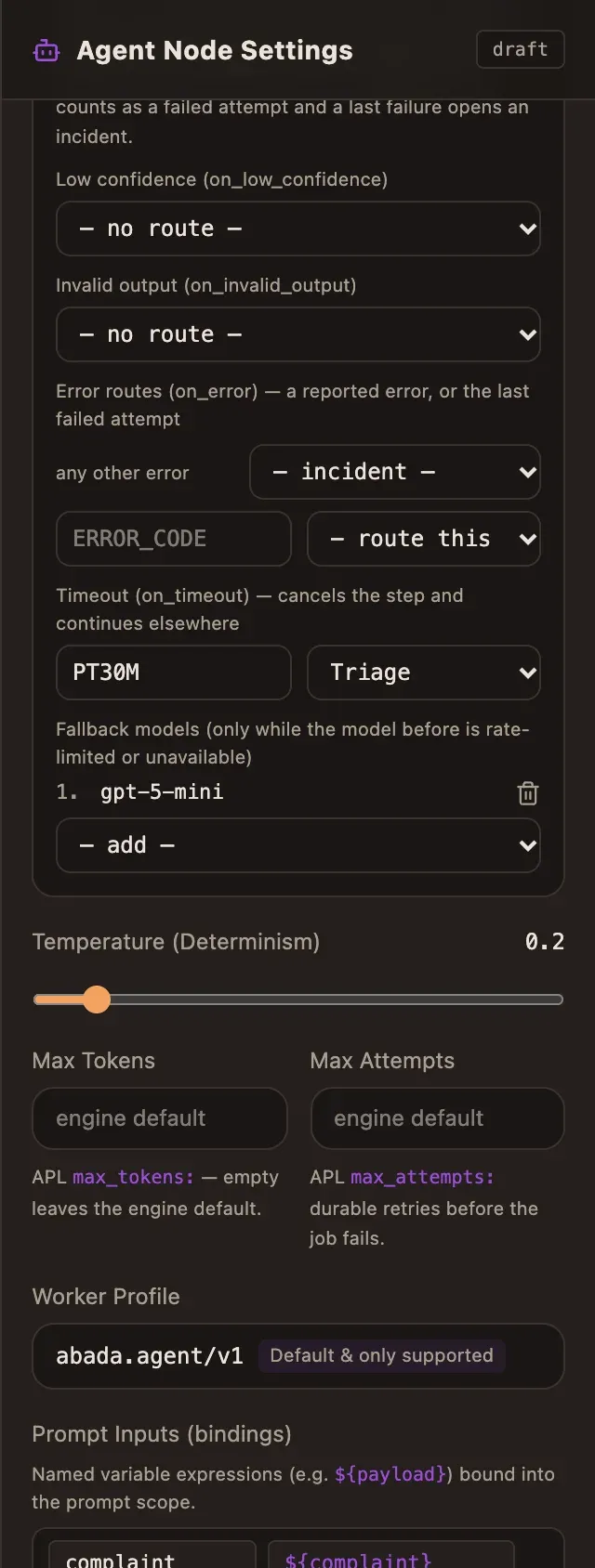
Click Draft. The Loop section holds the repeat limit (3, then Triage); further down, Routes holds the timeout and the fallback models.
Everything you change here is written to the APL, and every change is one undo step (⌘Z / Ctrl+Z).
6. Draw a route: a two-day timeout
Section titled “6. Draw a route: a two-day timeout”Nobody should forget a draft for a week. Drag from the right edge of Review to Triage. Studio asks what the connection means and offers only the routes a review step supports:
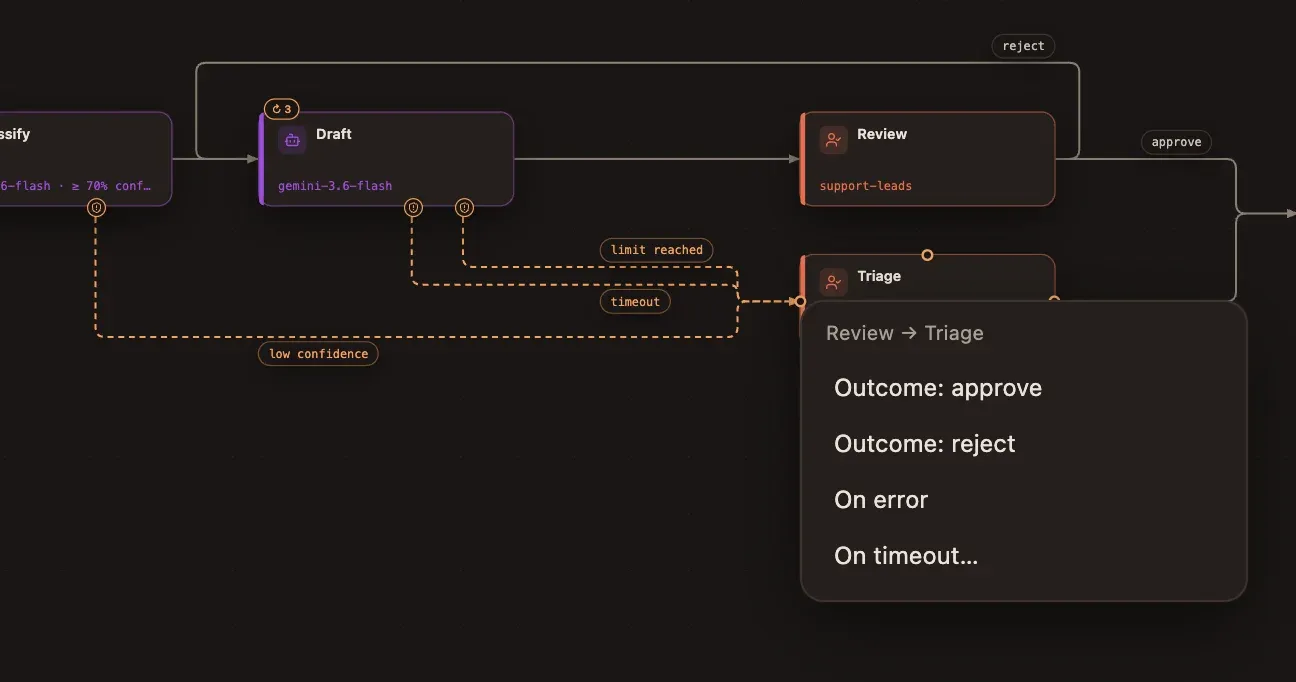
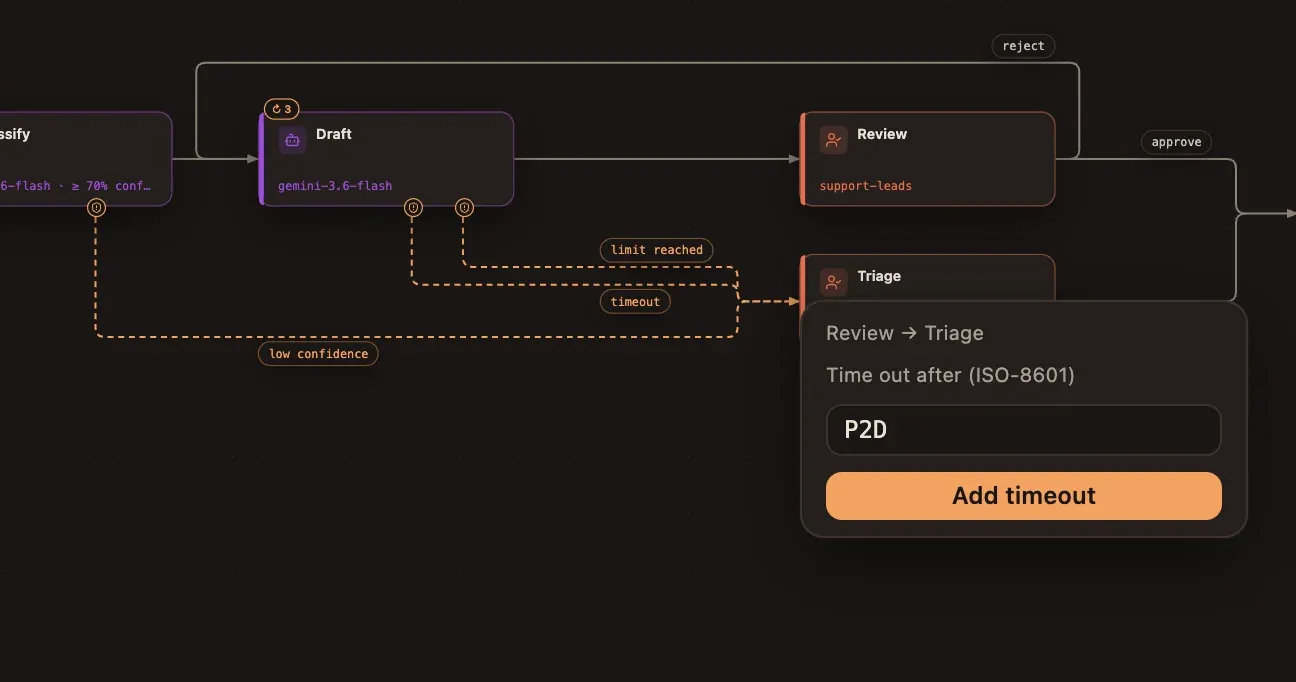
Choose On timeout…, type P2D (two days, ISO-8601) and click Add
timeout. Studio checks the duration the way the engine does (between one
second and 365 days).
The new route appears at once:
7. Check the APL
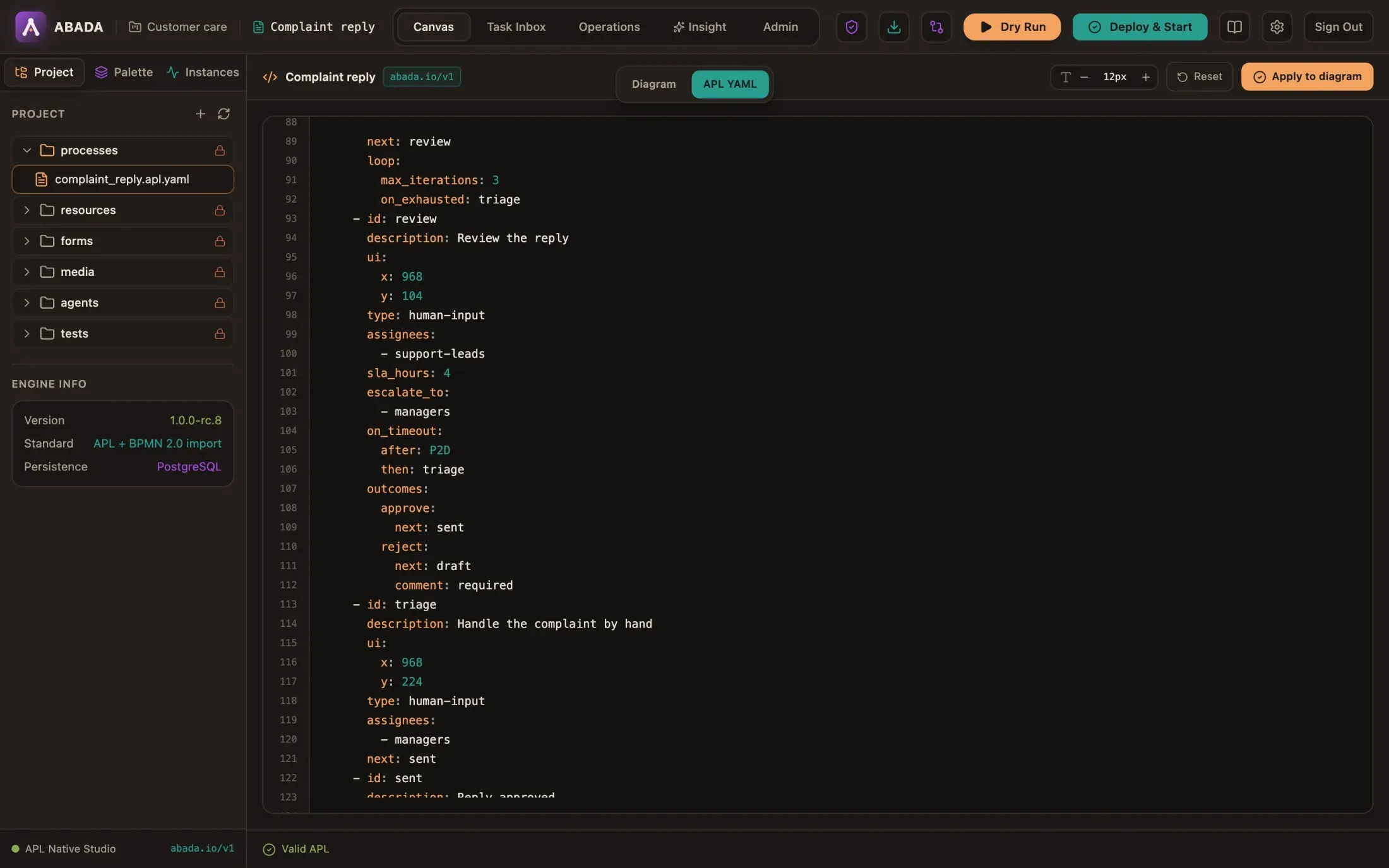
Section titled “7. Check the APL”Switch to APL YAML. The drawn route is now an on_timeout block on the
review step, and the status bar says Valid APL: the engine checked the
draft while you edited.
8. Dry Run it
Section titled “8. Dry Run it”Click Dry Run, paste this payload and start:
{ "complaint": { "customer": "Claire Dupont", "order": "A-1042", "message": "My order arrived nine days late. I paid 7.90 EUR for shipping and want it back." }}Dry Run runs in your browser: nothing is saved, deployed or sent to a model. It stops at each agent so you can type a mocked answer, and at the review it offers every route of the step — Approve, Reject and the new Timeout. Try Reject to watch the token go back to Draft.
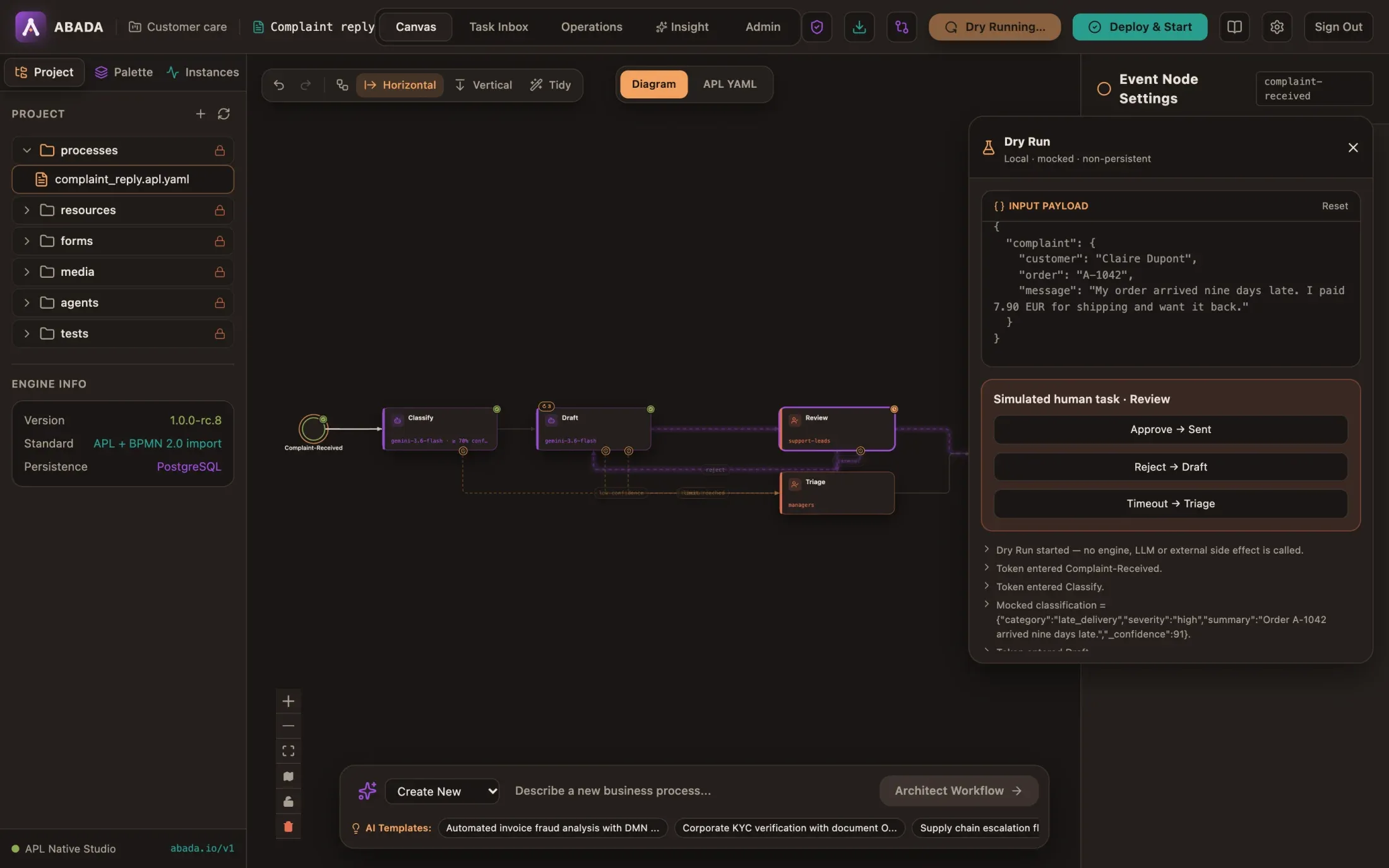
Finish with Approve → Sent. Studio remembers that this exact revision passed a Dry Run.
9. Deploy and start
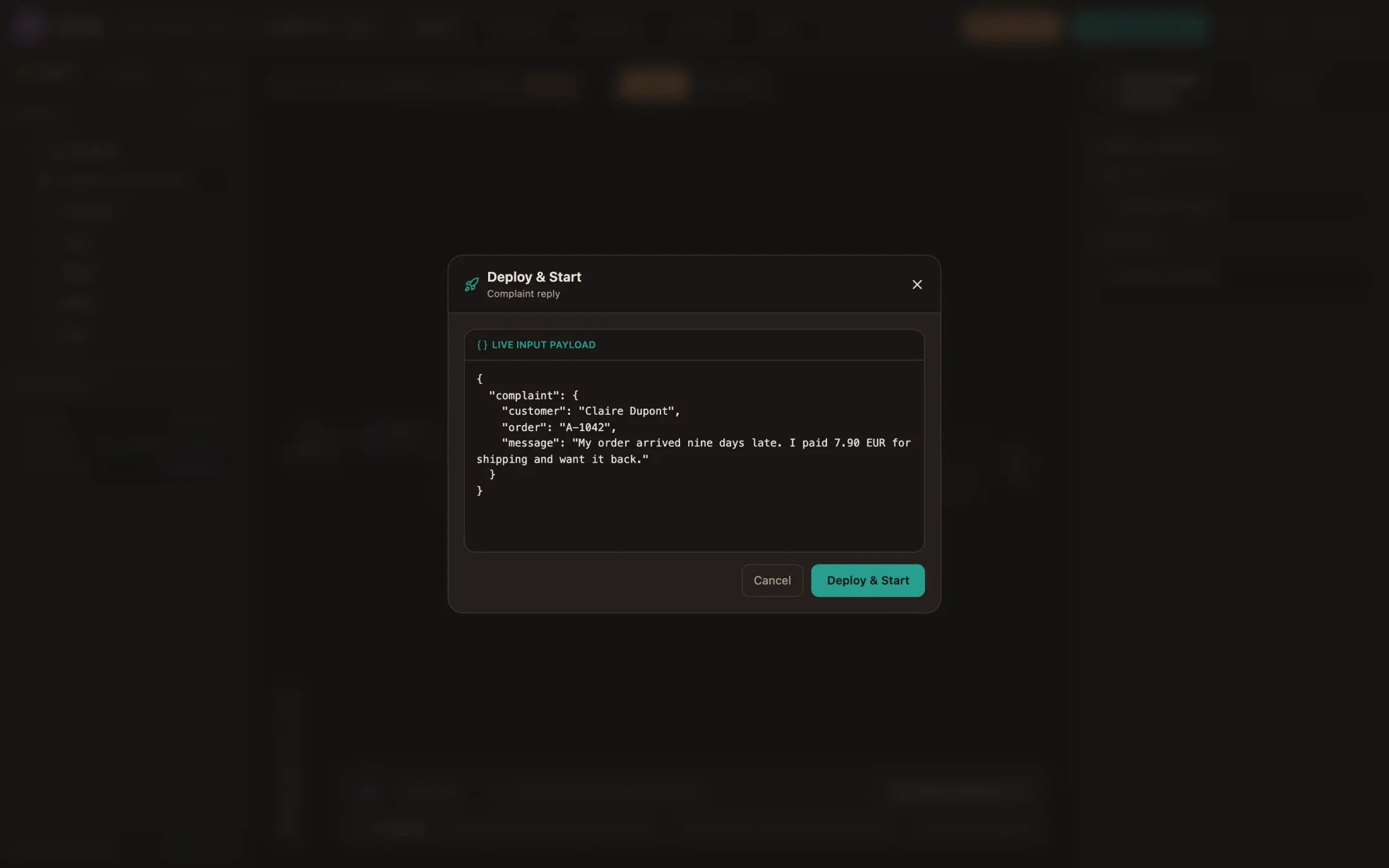
Section titled “9. Deploy and start”Click Deploy & Start, paste the same payload, and confirm. Studio saves the
document, deploys it as an immutable version (v1) and starts an instance.
10. Watch the agents
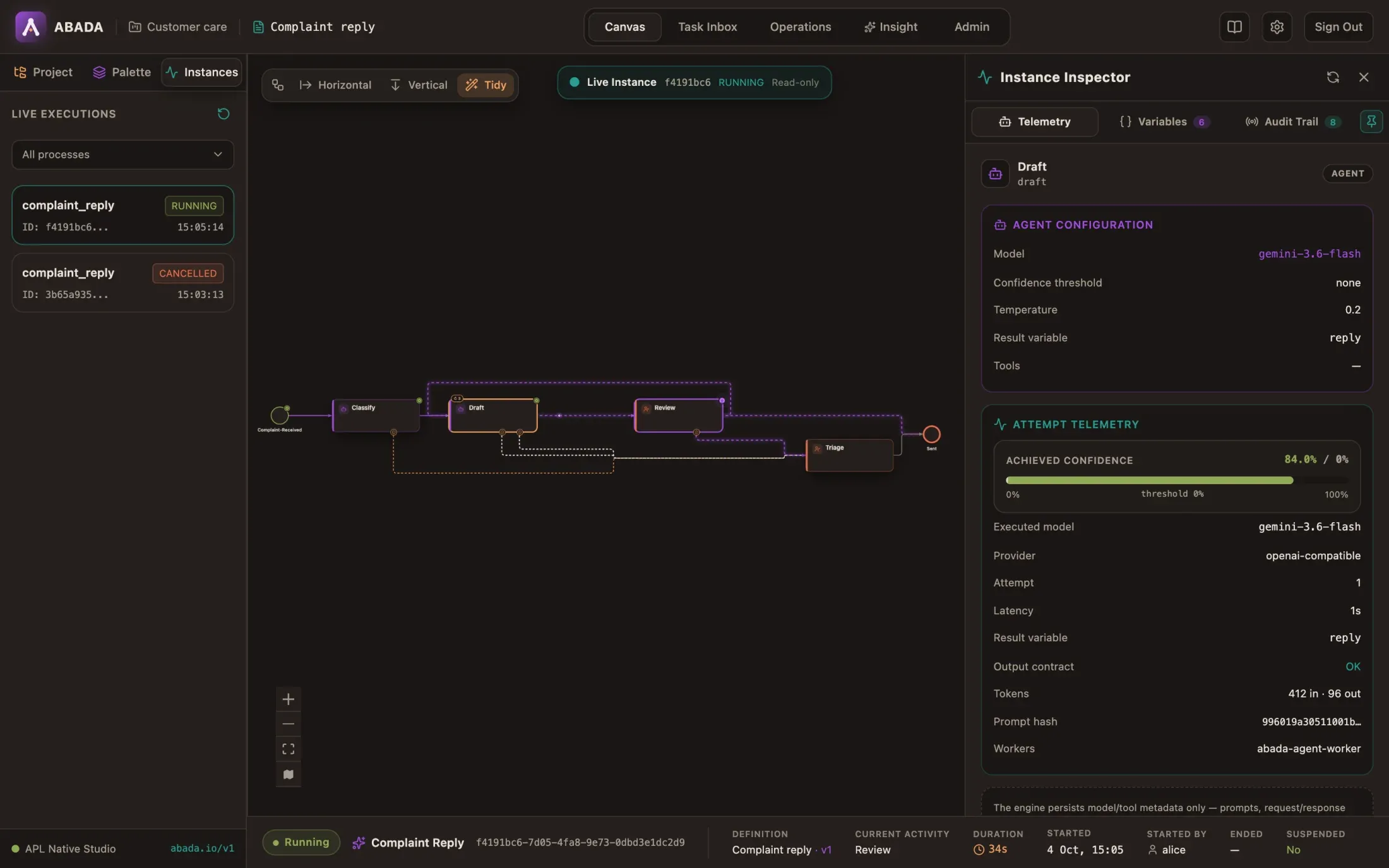
Section titled “10. Watch the agents”The live instance opens on the canvas. Both agents run through the Agent Worker, outside any database transaction, and the instance stops at Review. Click Draft to see its attempt: the model that answered, the confidence, the token counts, and Output contract OK — the engine checked the answer against the schema before storing it.
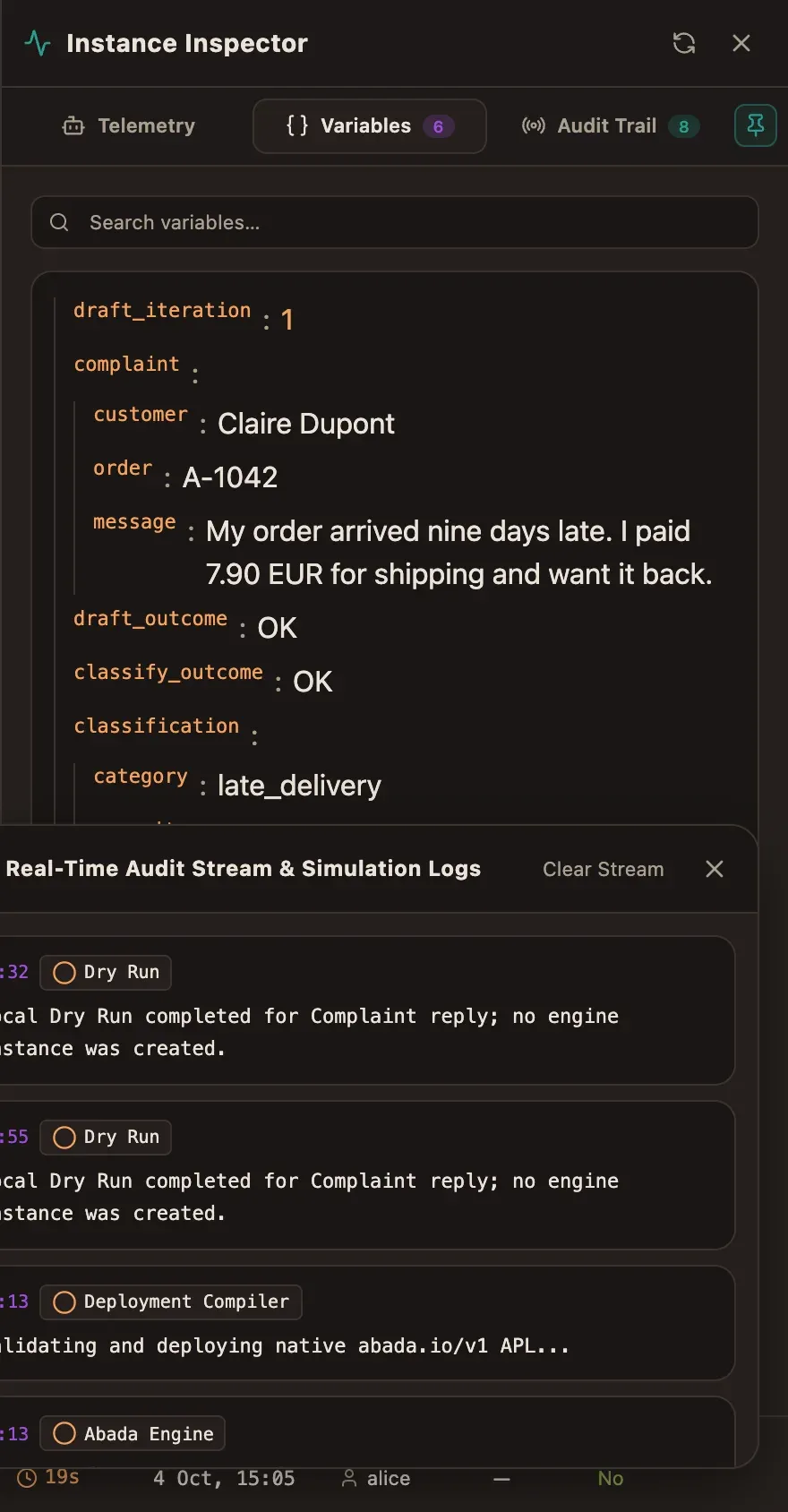
The Variables tab shows what the agents produced:
11. Bob rejects the draft
Section titled “11. Bob rejects the draft”Sign in as bob and open Task Inbox. Review the reply is waiting for
the support-leads group. Open it and click Claim.
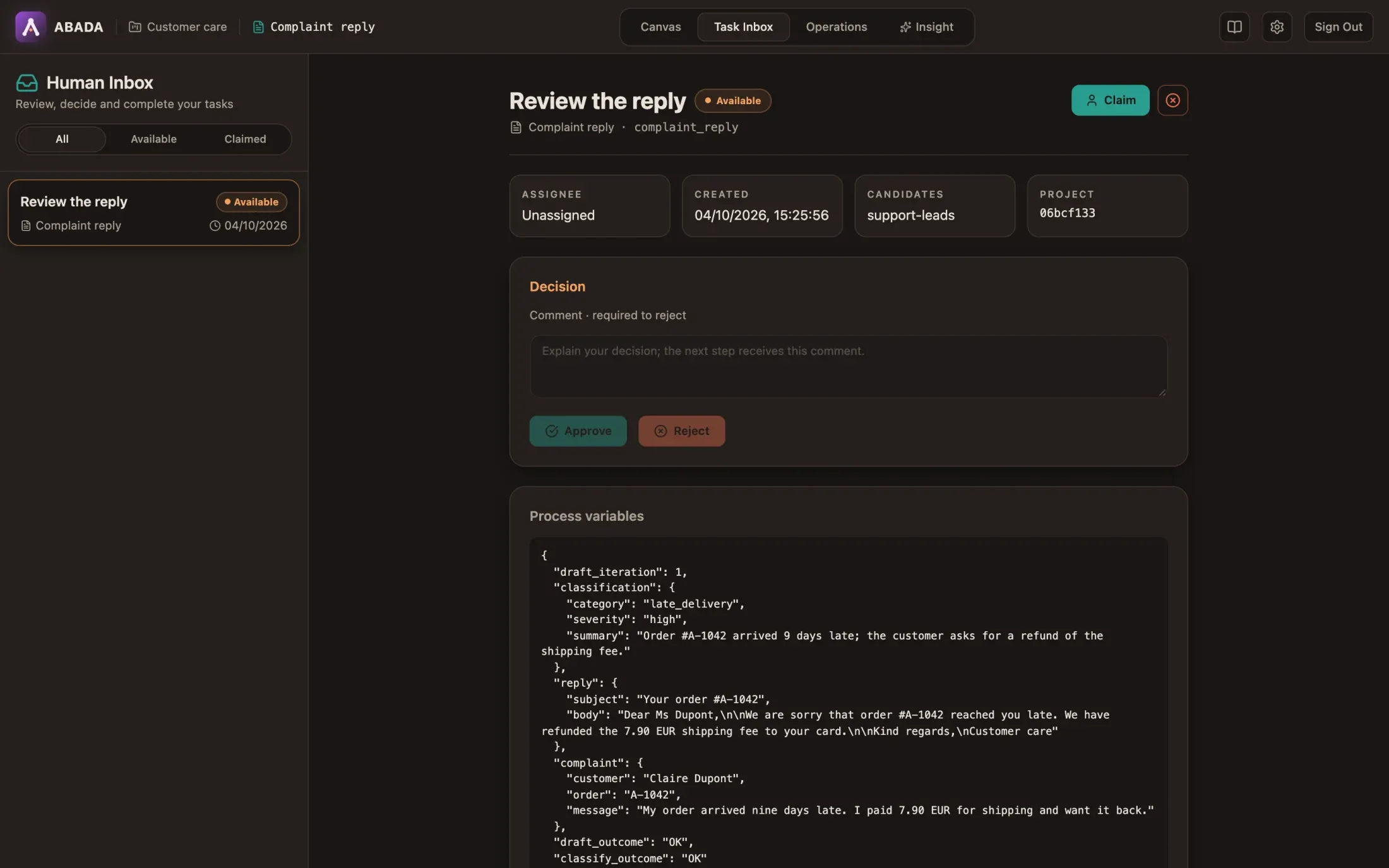
The Decision panel shows one button per outcome. Bob finds the draft too thin, writes why, and clicks Reject. Without the comment, Studio — and the engine — would refuse the rejection.
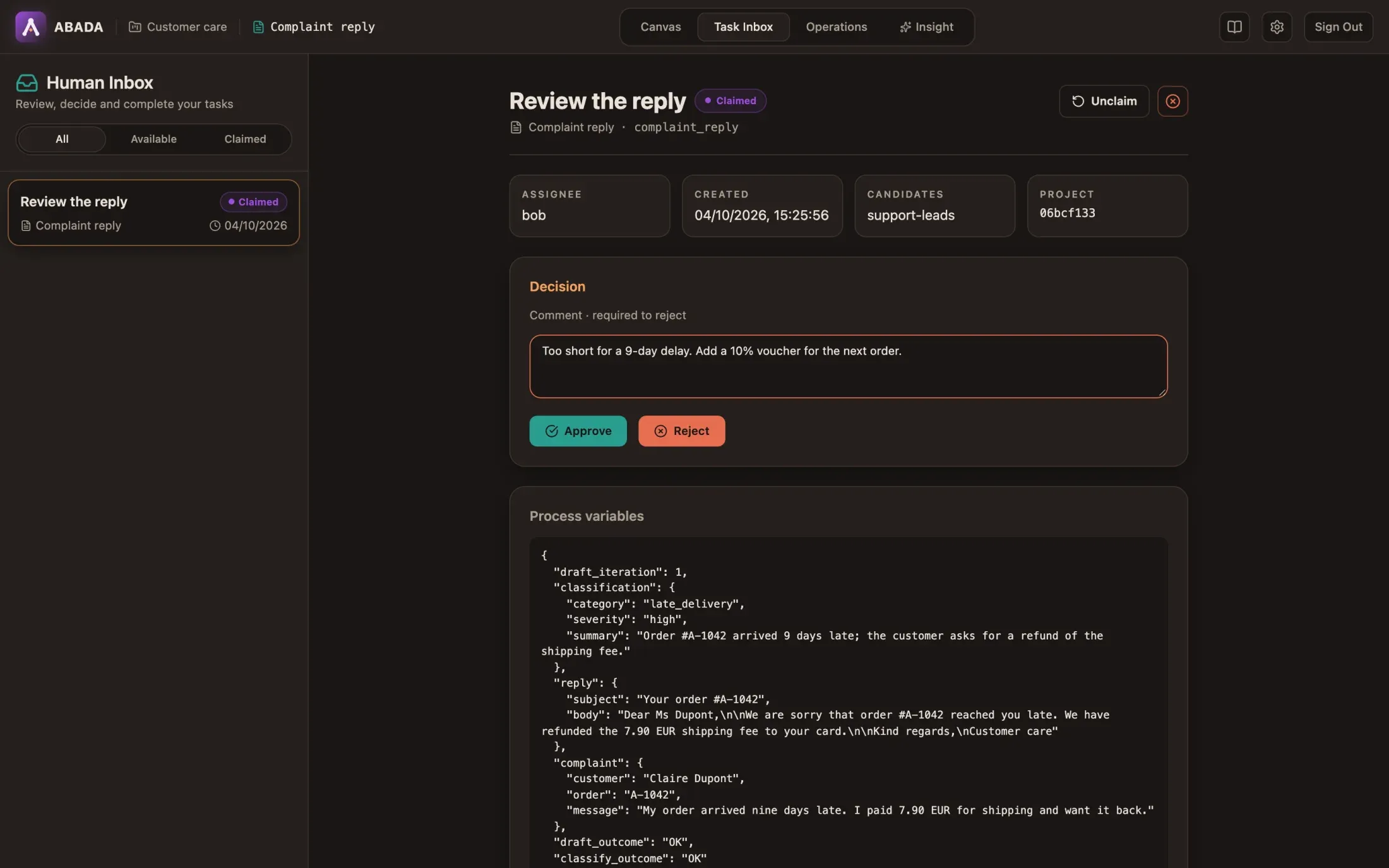
12. The agent revises; bob approves
Section titled “12. The agent revises; bob approves”The engine stores the decision in review_outcome, the comment in
review_comment, and sends the process back to Draft. The agent writes a
second draft with the comment in its inputs, and a new review task appears.
In the new task, draft_iteration is 2, review_comment holds bob’s words,
and the reply now offers the voucher:
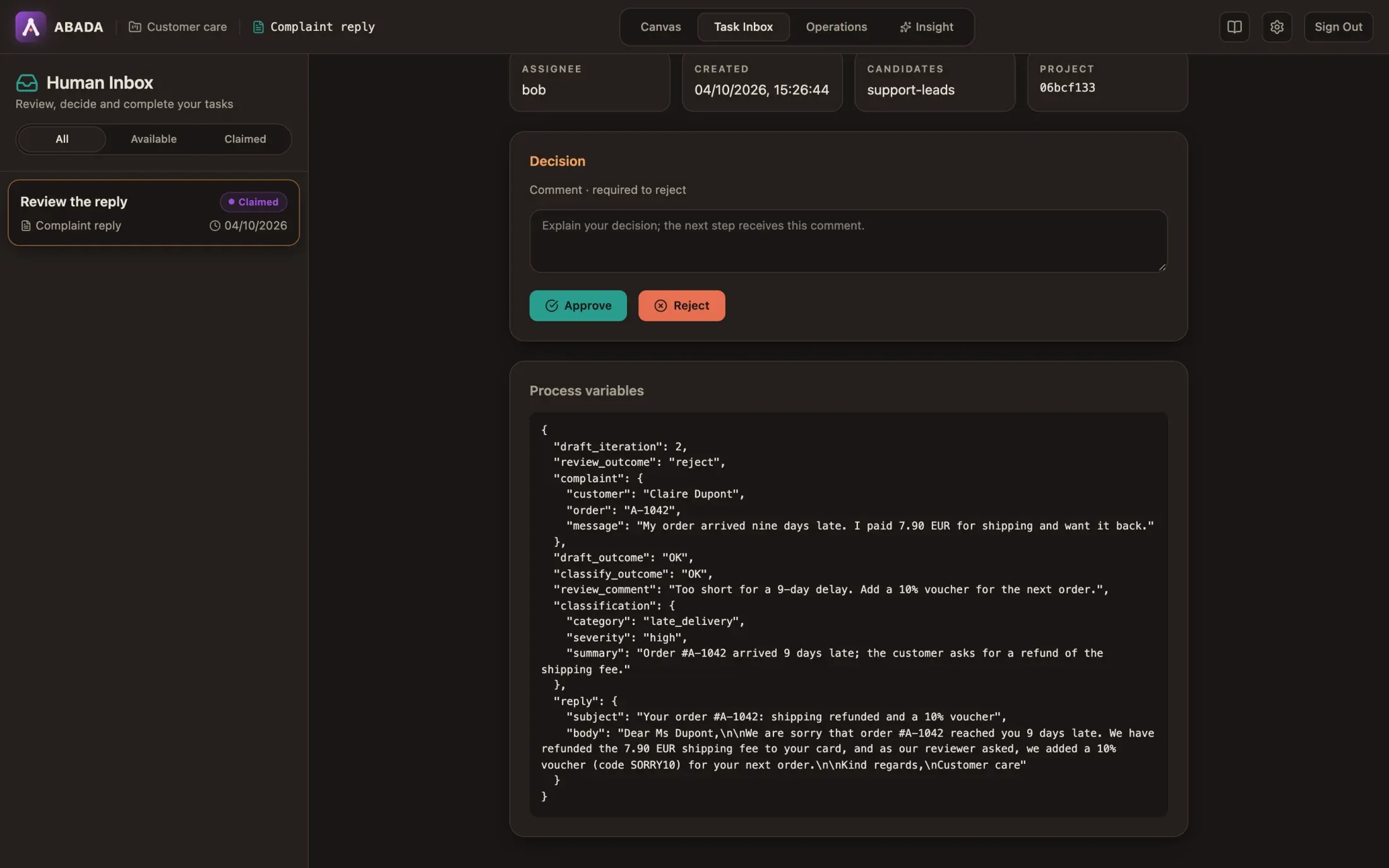
Bob claims it and clicks Approve. The instance completes.
13. Follow it in Operations
Section titled “13. Follow it in Operations”Sign in as alice again and open Operations: the instance is Completed, and the Agent Worker is online.
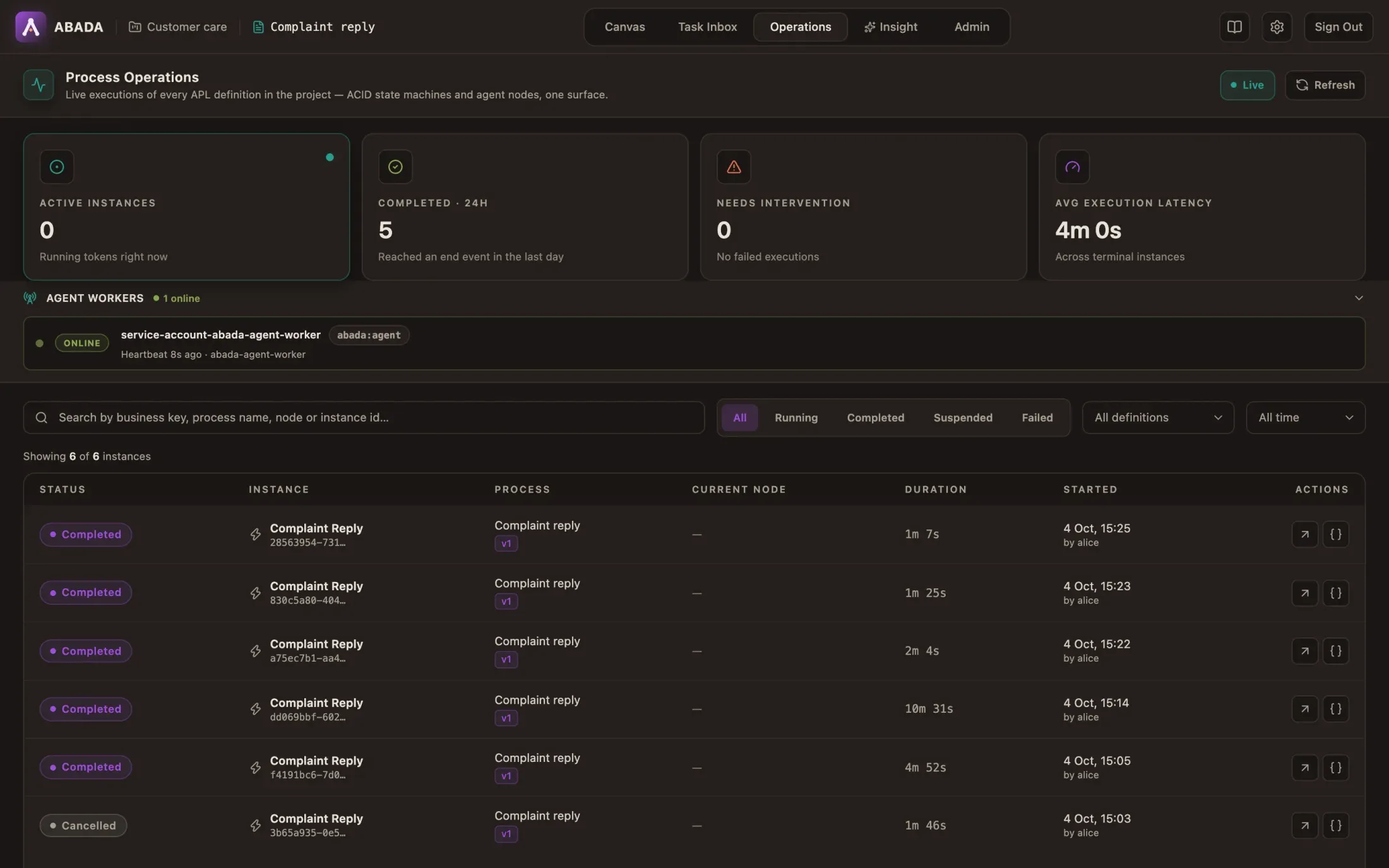
Open the instance. The canvas highlights the path it took — including the way back from Review to Draft — and the Audit Trail lists every step: who claimed and decided each task, which worker ran each agent, and the route each decision took (outcome reject → draft).
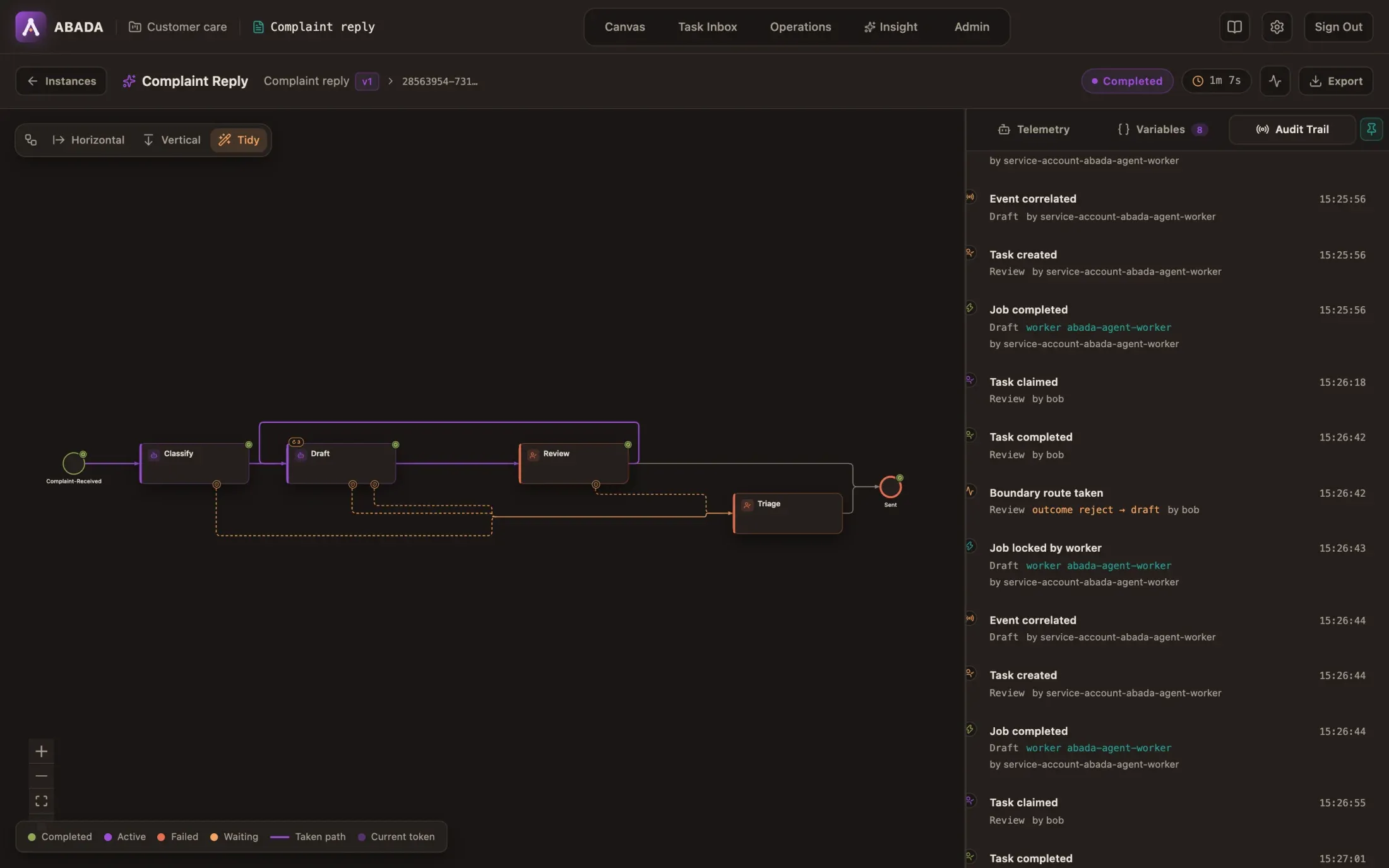
The history records that bob wrote a comment and how long it was, never the text itself; the text lives in the instance variables.
14. When the model is rate-limited
Section titled “14. When the model is rate-limited”If gemini-3.6-flash answers 429 Too Many Requests, the worker tries the
next model of fallback_models instead of failing. The attempt shows which
model actually answered and which one it replaced:
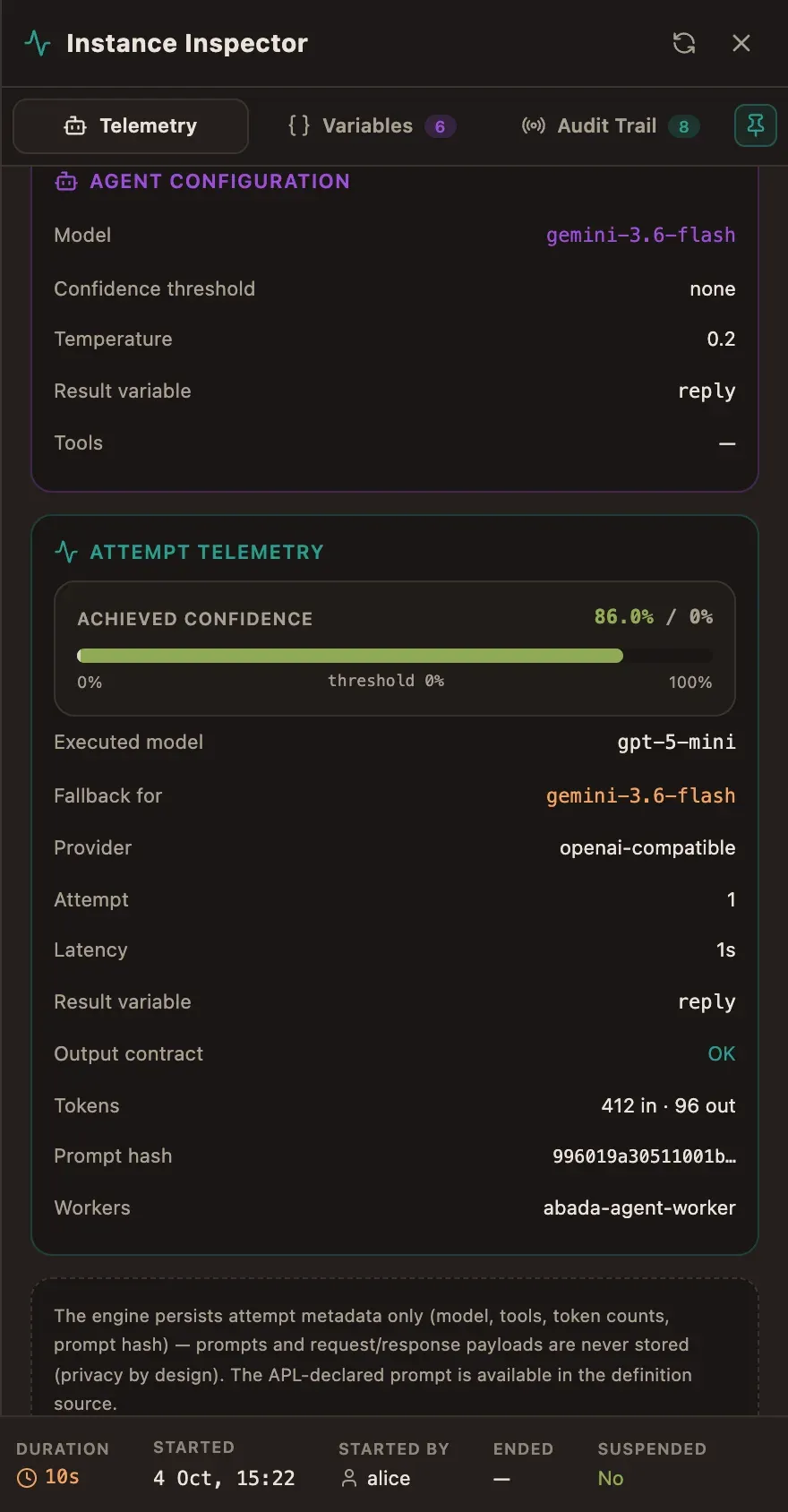
If every model is unavailable, the attempt waits and retries without using up
max_attempts; on_timeout (30 minutes here) bounds the wait. See
Operate running processes for incidents and retries.
What you built
Section titled “What you built”flowchart LR
S([Complaint received]) --> C[classify · agent]
C -->|low confidence| T[triage · managers]
C --> D[draft · agent ↻ 3]
D -->|timeout 30 min| T
D -->|limit reached| T
D --> R{review · support-leads}
R -->|approve| E([Sent])
R -->|reject + comment| D
R -->|timeout 2 days| T
T --> E
The agents advise; the engine checks every answer and every decision; people approve; and PostgreSQL keeps the whole story.