

Users, groups and project access
Access in Abada has two layers:
- Platform groups in the identity provider (Keycloak) say what a person may do at all: deploy, start processes, work on tasks, operate.
- Project membership says where: each project lists its members, their project roles, and the task groups they hold in that project.
The Studio Admin tab manages both. It talks to the engine
(/api/v1/admin/**), which talks to Keycloak, so you do not need the Keycloak
console.
Platform groups
Section titled “Platform groups”| Group | Lets a person… |
|---|---|
abada-task-user |
See and work on human tasks |
abada-process-controller |
Start processes, correlate messages and signals |
abada-deployer |
Deploy process versions |
abada-operator |
Read and act on instances, variables, history, incidents and retries |
abada-project-creator |
Create projects |
abada-insight-reviewer |
Review Insight proposals |
abada-evidence-reader |
Read agent evidence payloads (prompts, tool arguments and results, as the project’s evidence policy kept them) in projects they belong to. Every read is recorded |
abada-admin |
Everything, including the Admin tab, except reading agent evidence payloads, which needs abada-evidence-reader |
abada-worker is for service accounts of external workers (such as the
Agent Worker), not for people. Business groups such as managers grant no
engine permission by themselves; they matter as task candidates.
Add a user
Section titled “Add a user”-
Open Admin → Users → New User.
-
Enter a username, and optionally an email, a name and an initial password.
-
Add the platform groups the person needs — usually
abada-task-user, plusabada-process-controllerandabada-deployerfor people who build and run processes. -
Ask the person to sign in to Studio once. Until then the engine does not know them and they cannot be added to a project.
Give someone access to a project
Section titled “Give someone access to a project”Open the project in Studio, then Admin → Projects → Add Member, pick the person and set:
- Roles — Owner, Maintainer, Operator, Reviewer, Viewer. Project creators get every role except Reviewer, so that nobody approves their own Insight proposals.
- Review lanes — the Insight review lanes the member may approve, such as
TECHNICALorCOMPLIANCE. - Task groups — candidate groups the member holds in this project
only. A task assigned to
support-leadscan be claimed by members with that task group, even if the identity provider has no such group.
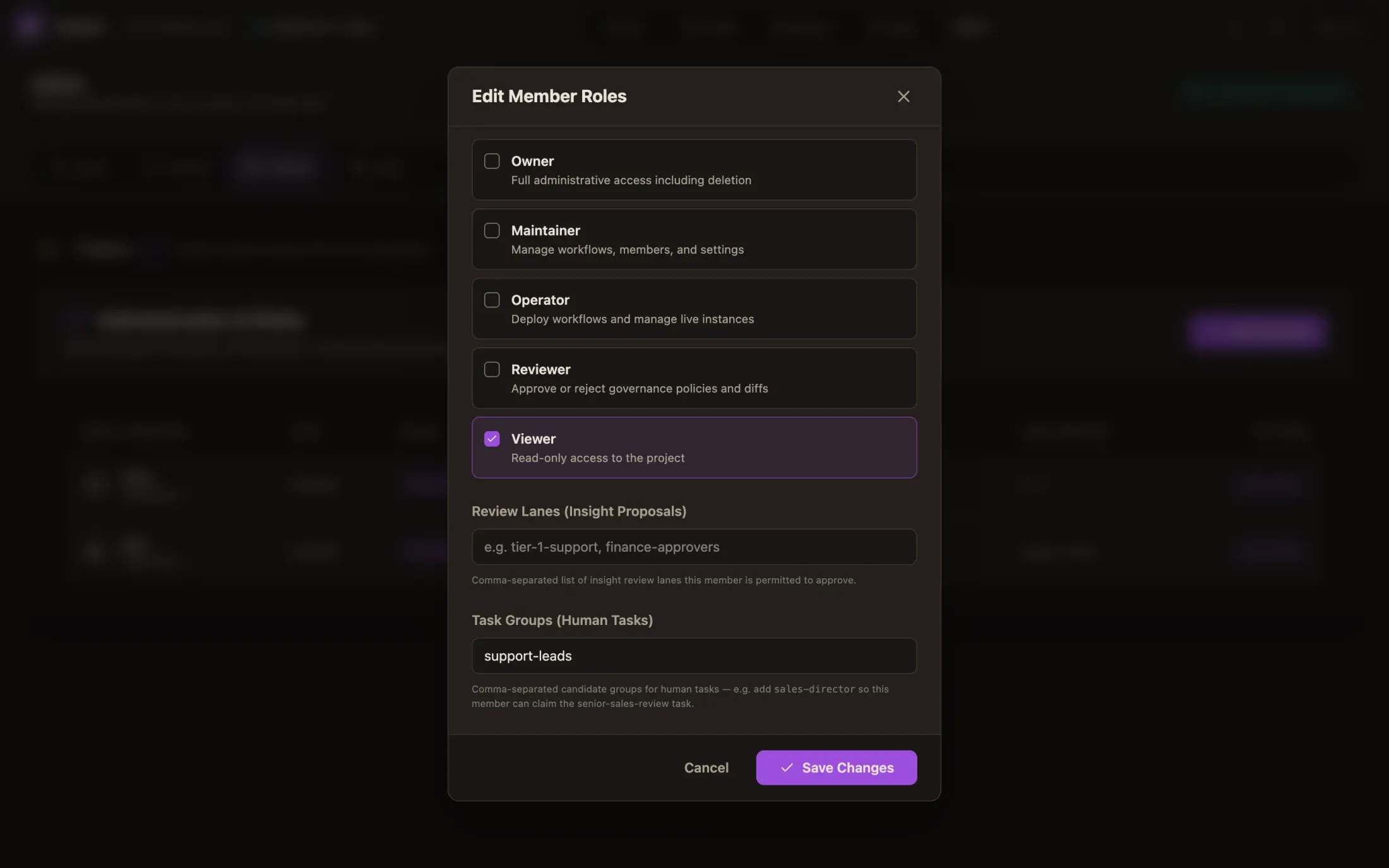
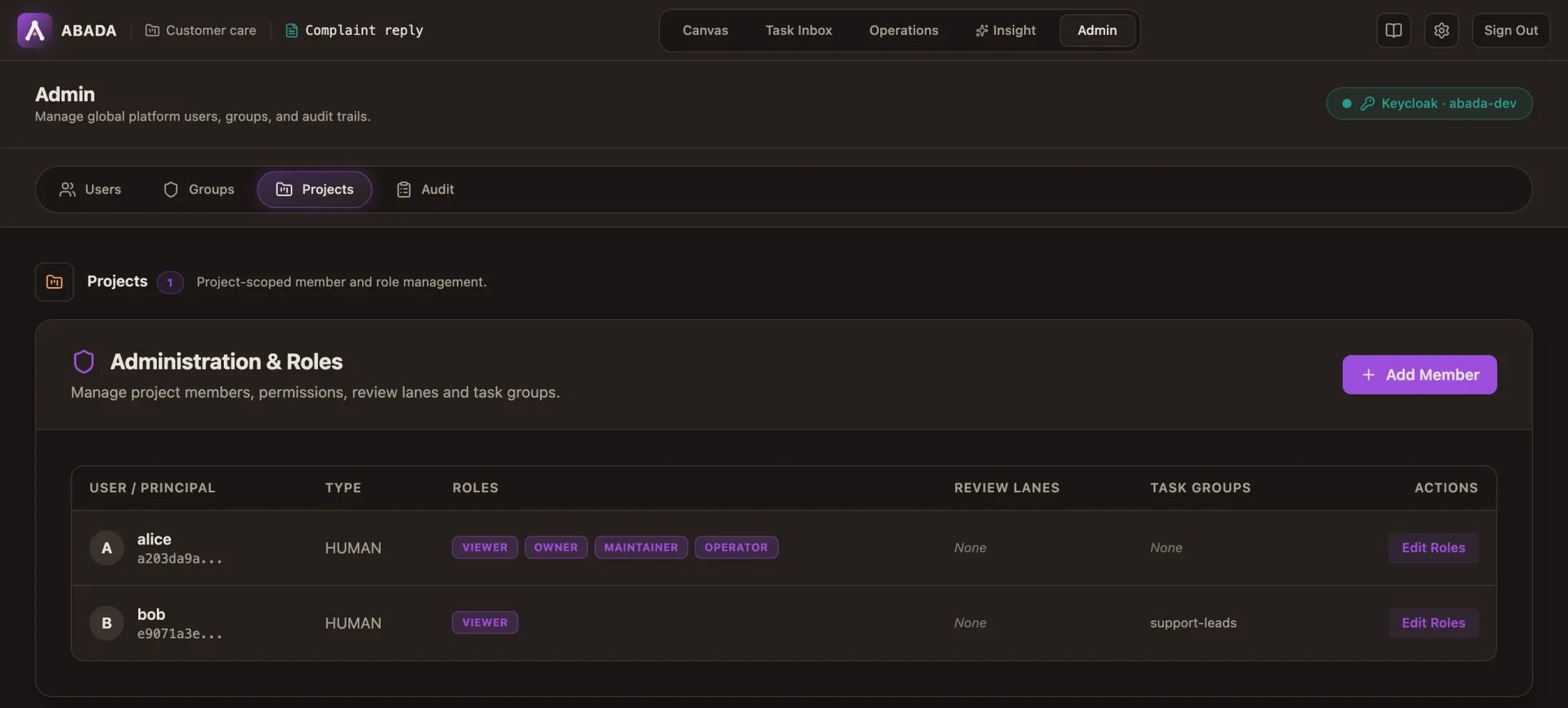
Changes apply on the member’s next request; group changes in Keycloak apply when their token refreshes (within about five minutes).
Project owners can do the same through
PUT /api/v1/projects/{projectId}/members/{principalId} with roles,
reviewLanes and taskGroups.
Limitations
Section titled “Limitations”- No bulk import (CSV or SCIM) in the UI; script
POST /api/v1/admin/users. - The Audit sub-tab is a placeholder. Admin changes are recorded on the server with the caller, action, target and trace ID.
Reference
Section titled “Reference”- API:
docs/reference/api-v1.md(Platform administration, Projects) - Operations:
docs/operations/studio-administration.md— Keycloak admin client setup, environment variables, failure modes - Security model:
docs/reference/security-and-rbac.md